
Free Domains Aren't Dead: How to Claim a pp.ua Domain from Ukraine for $0 (and Keep It Free)
One-line takeaway: After Freenom collapsed, Ukraine's pp.ua remains one of the last genuinely free domains — NIC.UA's official channel charges $0 to register and $0 to renew, all doable online from anywhere. The catch: three verification gates (email, linked bank card, phone SMS activation). This walkthrough breaks down all three.
The bottom line: can you still get one in 2026?
Yes. NIC.UA's official knowledge base (still maintained in 2026) keeps the free pp.ua channel open, and the NIC.UA homepage still advertises "Free pp.ua Domain." But this is nothing like Freenom: pp.ua's "free" comes with conditions — the registry fights bots and bulk registrations with three gates: email verification, a linked bank card, and phone SMS activation. Pass all three and the domain is yours; fail any and your order just sits there, never executed.
One cold shower first: pp.ua is great for test sites, personal blogs, portfolios, and validating landing-page ideas. Don't put a real revenue business on it — free domains look cheap, and WHOIS data is mandatorily public (see below). For anything serious, buy a paid domain.
What you need before you start
- An email address — Gmail, Outlook, anything works. You'll create a NIC.UA account with it and must click a verification link.
- A bank card — any Visa/Mastercard debit or credit card. It's identity verification only; the official docs state "all free services remain free," so nothing is charged. Think of it as a CAPTCHA against bulk registrations, not a payment.
- A mobile number that can receive SMS — the registry texts you an activation code. Official docs don't require a Ukrainian number, but a 2021 field report noted SMS delivery to non-Ukrainian numbers can be flaky — the fallback is the Telegram bot @ppuabot, using a Telegram account registered on the same number.
- A Telegram account (strongly recommended, install it in advance): your backup activation channel if SMS never arrives.
Cost: $0 to register, $0/year to renew, $0 to transfer via NIC.UA's official channel. Note: the pp.ua registry lets registrars set their own service fees — some Ukrainian registrars charge (e.g., Cityhost at ~49 UAH/year) — so go through NIC.UA directly.
Step 1: Learn the rules of the pp.ua game
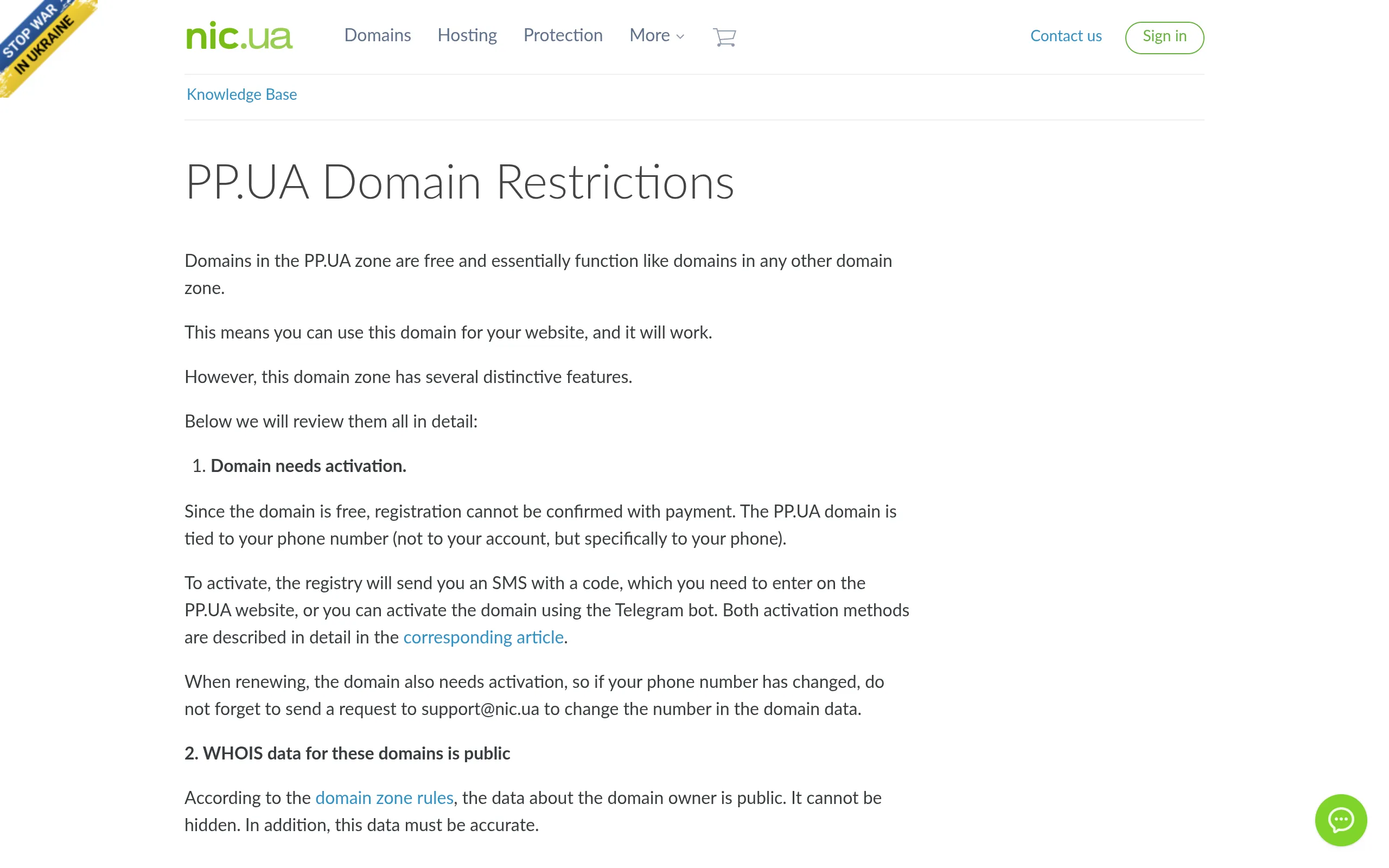
Before clicking anything, read NIC.UA's official knowledge-base article "PP.UA domains restrictions" so the limits are burned into your brain:
Four core rules, official source, translated into plain English:
- The domain must be activated to work: the registry sends an SMS code to the phone number you enter, and you enter that code on the registry's website (or via the Telegram bot) to activate. You must reactivate on every renewal too. If your number changes, email support@nic.ua to update it, or renewal codes will never reach you.
- WHOIS data is mandatorily public: registrant name, email, etc. are public per registry rules — privacy protection is not available, and the data must be accurate. Fake details risk a serverHold block that kills resolution.
- Renewal is only possible within 4 months of expiry: the renew button is greyed out before that. That's registry policy, not a NIC.UA bug.
- Max 3 domains per phone number per 30 days: the counter ticks when you submit the order — even if you never activate it and the order gets closed, the slot is spent. Need more? Use a second number.
Domain length: 3–63 characters; Latin and Cyrillic (IDN) supported. Max term: 1 year — then renew free, so it can stay free indefinitely.
Step 2: Create your NIC.UA account and complete the "two-piece set"
Go to nic.ua (English version available) and sign up. Free orders only execute when both conditions are met (from the official article "How to activate PP.UA domain"):
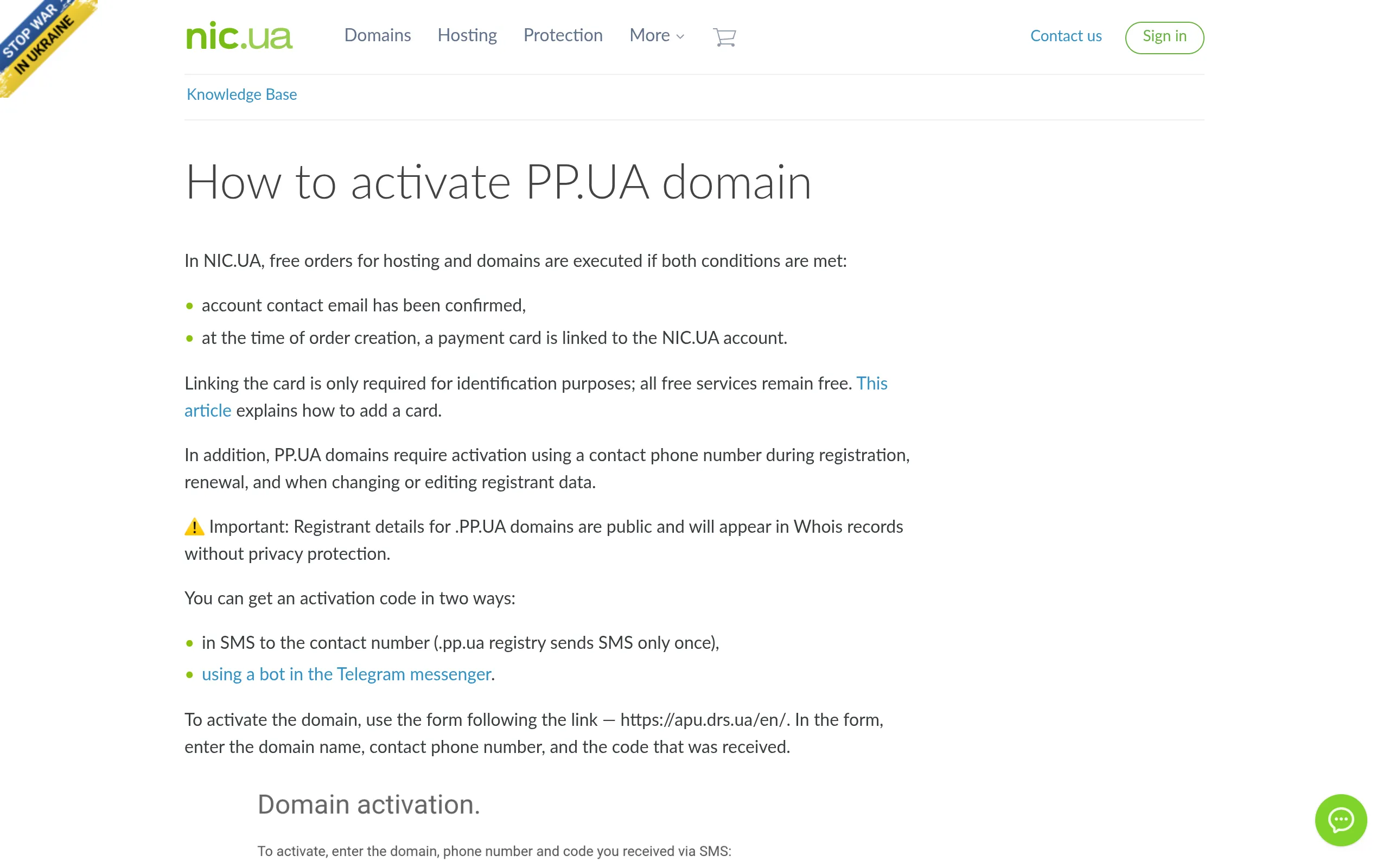
- Verify your account's contact email: click the verification link in your inbox. Unverified email = free orders never processed.
- Link a bank card to your account: must be linked at the time of ordering. Official wording: "Linking the card is only required for identification purposes; all free services remain free."
Then search for your desired xxx.pp.ua on NIC.UA, add it to the cart, and check out at $0. After you submit, the registry-side request is valid for only 5 days — miss the activation window and the request is voided, the name is released, and you start over.
Troubleshooting: if your order never moves, self-check in this order — email verified? Card linked? Have you already placed 3 orders on the same number within 30 days? The official troubleshooting doc lists these as the most common causes.
Step 3: Activate at the registry within 5 days (the step that matters most)
Ordering ≠ owning. Without activation the domain sits in pendingCreate status, resolves nothing, and gets deleted after 5 days.
The activation form lives on the registry's site: https://apu.drs.ua/en/ — it asks for three things: domain, phone number, and the SMS code:
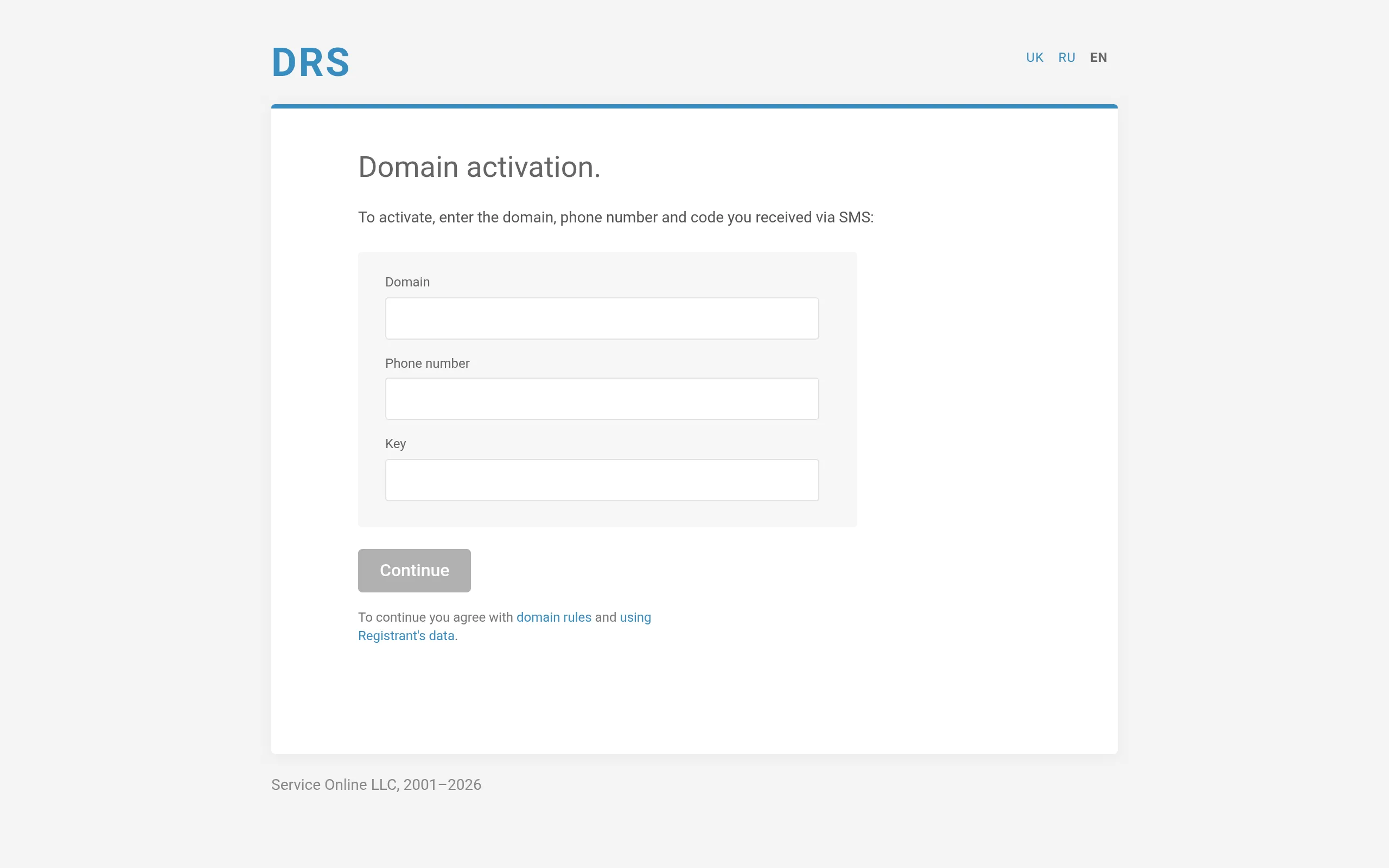
Two ways to get the code:
- SMS: the registry sends it only once, so type your number carefully (international format). If it never arrives, use the fallback below.
- Telegram bot: in Telegram, find @ppuabot, press Start, tap "Send phone number" (it must be the same number you entered when registering the domain, and your Telegram account must be registered on that number), choose "Activate domain," enter the domain (no www, no http://), accept the pp.ua domain rules, and the bot generates an activation code. Take that code back to the form above and submit.
Once activated, head to your NIC.UA panel to change nameservers / add DNS records and point the domain at your server or Cloudflare. A 2021 field report confirmed nameservers can be switched to Cloudflare's from the NIC.UA panel (Cloudflare's free plan works fine).
Renewal: once a year, don't sleep on it
- Renewal is free, but only within 4 months (112 days) of expiry — the button is greyed out earlier, don't panic.
- After renewing you must activate again (same SMS/Telegram flow). Skip it and the registry-side expiry date doesn't move — effectively unrenewed.
- Set two calendar reminders: 3 months before expiry (go renew), 1 month before (confirm activation succeeded).
Costs, limits, and gotchas — cheat sheet
| Item | Status |
|---|---|
| Registration | $0 (via NIC.UA's official channel) |
| Renewal | $0/year; only within 4 months of expiry + reactivation required |
| Card linking | Required; Visa/Mastercard for identity verification, nothing charged |
| Phone number | Required for activation code; non-Ukrainian SMS delivery can be unreliable — Telegram bot as fallback |
| Quantity limit | Max 3 domains per phone number per 30 days |
| WHOIS | Mandatorily public; no privacy; data must be accurate |
| Good for | Test sites, personal blogs, portfolios, landing-page validation; not for real revenue businesses |
| Risks | False details → serverHold (resolution killed); unactivated orders voided after 5 days |
The real "cost" is mindset: pp.ua's free tier is gated free — email, card, phone activation exist precisely to block bulk-registration bots. As a real human following the normal flow, you'll get through in one pass.
Sources
- NIC.UA knowledge base, "PP.UA domains restrictions": https://nic.ua/en/knowledge-base/pp-ua-domains-restrictions
- NIC.UA knowledge base, "How to activate PP.UA domain": https://nic.ua/en/knowledge-base/how-to-activate-pp-ua-domain
- NIC.UA knowledge base, "Why the order for a free domain .pp.ua is not being executed": https://nic.ua/en/knowledge-base/free-pp-ua-domain-order-not-executed
- pp.ua registry (DRS) activation form: https://apu.drs.ua/en/
- Cityhost pp.ua registration notes (5-day activation window, serverHold rule): https://cityhost.ua/en/support/domeny/registraciya-i-prodlenie-domenov/registraciya-domena-v-zone-pp-ua/
- Cityhost, "Four ways to get a free domain" (registrars may set own fees, ~50 UAH/yr): https://cityhost.ua/en/blog/kak-poluchit-domen-besplatno.html
- Tuthost pp.ua zone page ($0.00/yr registration & renewal, 1-year term, 3–63 chars): https://tuthost.ua/en/domains/pp-ua/
- 51Sec, "Free SubDomain from PP.UA and Integration with CloudFlare" (2021 field report: Telegram activation + NS switch to Cloudflare via NIC.UA panel): https://www.51sec.org/2021/02/16/free-subdomain-from-pp-ua-and-integration-with-cloudflare/
- Regery help center (Telegram activation steps, @ppuabot): https://support.regery.com/en/articles/8677470-how-to-activate-a-domain-name-in-the-pp-ua-if-sms-does-not-come
(Podcast note: I also searched Chinese outbound/indie-dev podcasts on Xiaoyuzhou, Apple Podcasts, and Spotify for episodes about free domains or pp.ua — none found, so no podcast citation.)