
GitHub Copilot Free, Tested: 2,000 Completions a Month With No Credit Card
One-line takeaway: Copilot Free gives you 2,000 code completions and a limited pool of chat/agent requests every month — no credit card, no student status, just a GitHub account. Here's what the official docs say, how to activate it, and where the free tier ends.
The bottom line: is it still available in October 2026?
Yes. GitHub's official plans page (checked live on 2026-10-23) still lists Copilot Free at $0, and the official docs confirm the free plan remains open. Copilot Free launched on December 18, 2024, announced by GitHub CEO Thomas Dohmke — so it's been running steadily for almost two years, with no history of mass account bans or sudden shutdowns.
Two reality checks before you start:
- It's a taster, not a workhorse — the docs describe it as "limited access to a selection of Copilot features." It's designed to hook you, not to power your day job.
- The quotas can change — on June 1, 2026, Copilot moved all paid tiers to AI Credits usage-based billing, and the docs mark several limits as "subject to change." Always re-check the official plans page before you rely on the numbers below; they were verified on 2026-10-23.
If you're a student, skip this — GitHub's student program (Copilot Student) gives you unlimited completions for free, which is strictly better. This guide is for everyone else.
What you need
- A personal GitHub account (13+). Free to create.
- A code editor: VS Code (smoothest), JetBrains IDEs, Neovim, Xcode, Eclipse — or just the terminal with Copilot CLI.
- No credit card: Microsoft's official training materials state "no credit card needed to sign up," and an October 2026 pricing audit confirmed the Free tier requires none.
- No student status: any individual account qualifies.
Everything is online — nothing to travel for.
Step 1: Read the official plans page — this is exactly what Free gives you
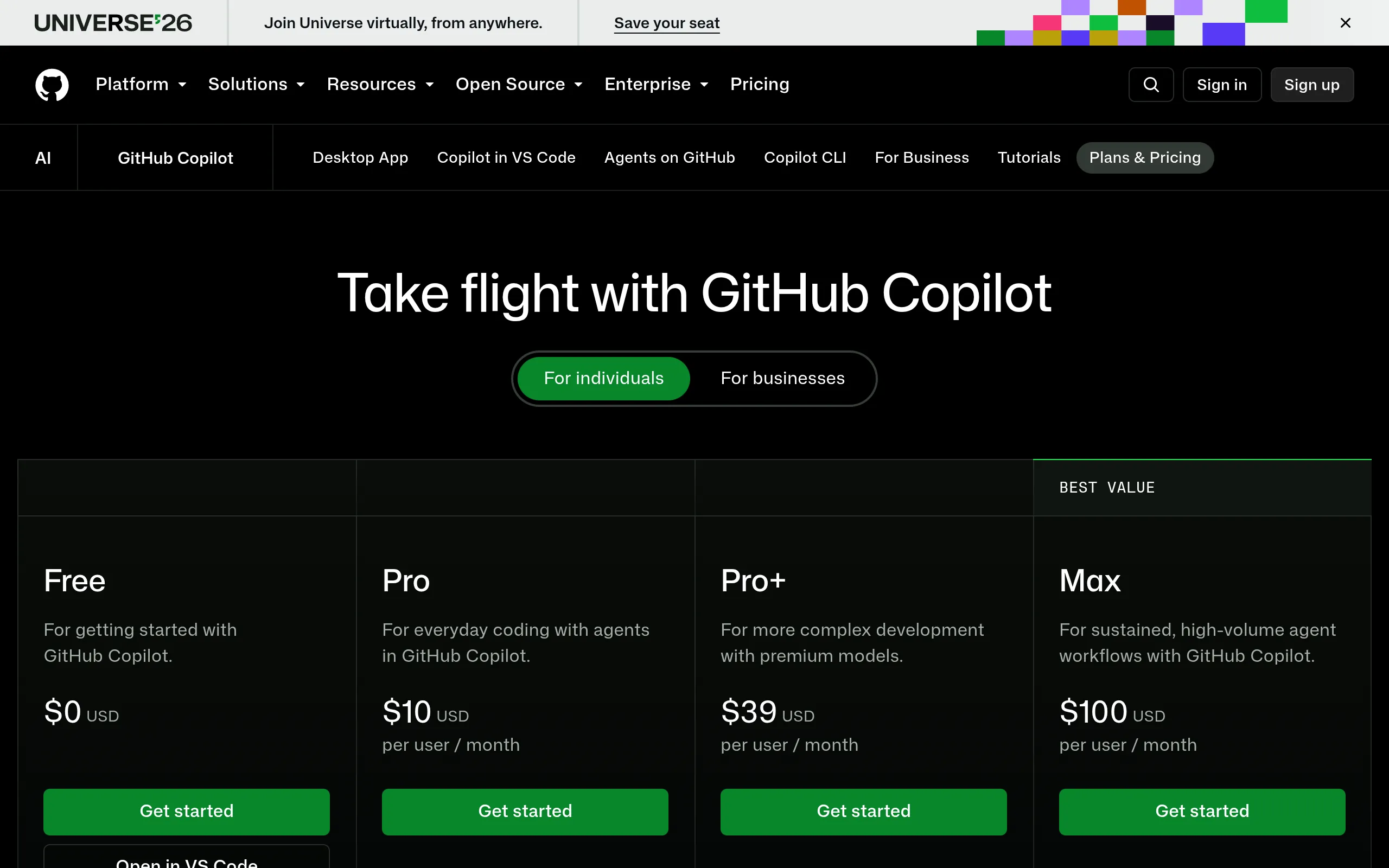
The official plans page https://github.com/features/copilot/plans (screenshotted 2026-10-23):
Free is $0. The page FAQ puts it in one sentence (official wording, kept verbatim):
"GitHub Copilot Free users are limited to 2,000 completions and access to entry level models per month."
Breaking that down:
- 2,000 code completions/month — the grey-text inline suggestions you accept with Tab. The docs confirm: "Limited to 2000 completions per month on Copilot Free."
- Chat/agent: limited usage — the marketing page says "Limited chat and agent usage." The docs' legacy billing page specifies roughly 50 premium requests per month for Free (chat and agent mode both count), and multiple independent sources re-verified that number in October 2026. Agent mode burns it fast: each prompt you send counts, so a long multi-file session can eat a dozen in minutes.
- Auto model selection only — the docs: "On Copilot Free and Copilot Student plans, access to models is available through auto model selection only." Hand-picking models like Claude or GPT-5 requires a paid plan.
The page also notes the "Free plan supports CLI and agent mode" — so you can try the terminal CLI and agent mode, just within the small quota.
Step 2: Know what the docs say — and what the signup entry looks like
The official docs page "Plans for GitHub Copilot" (screenshotted 2026-10-23):
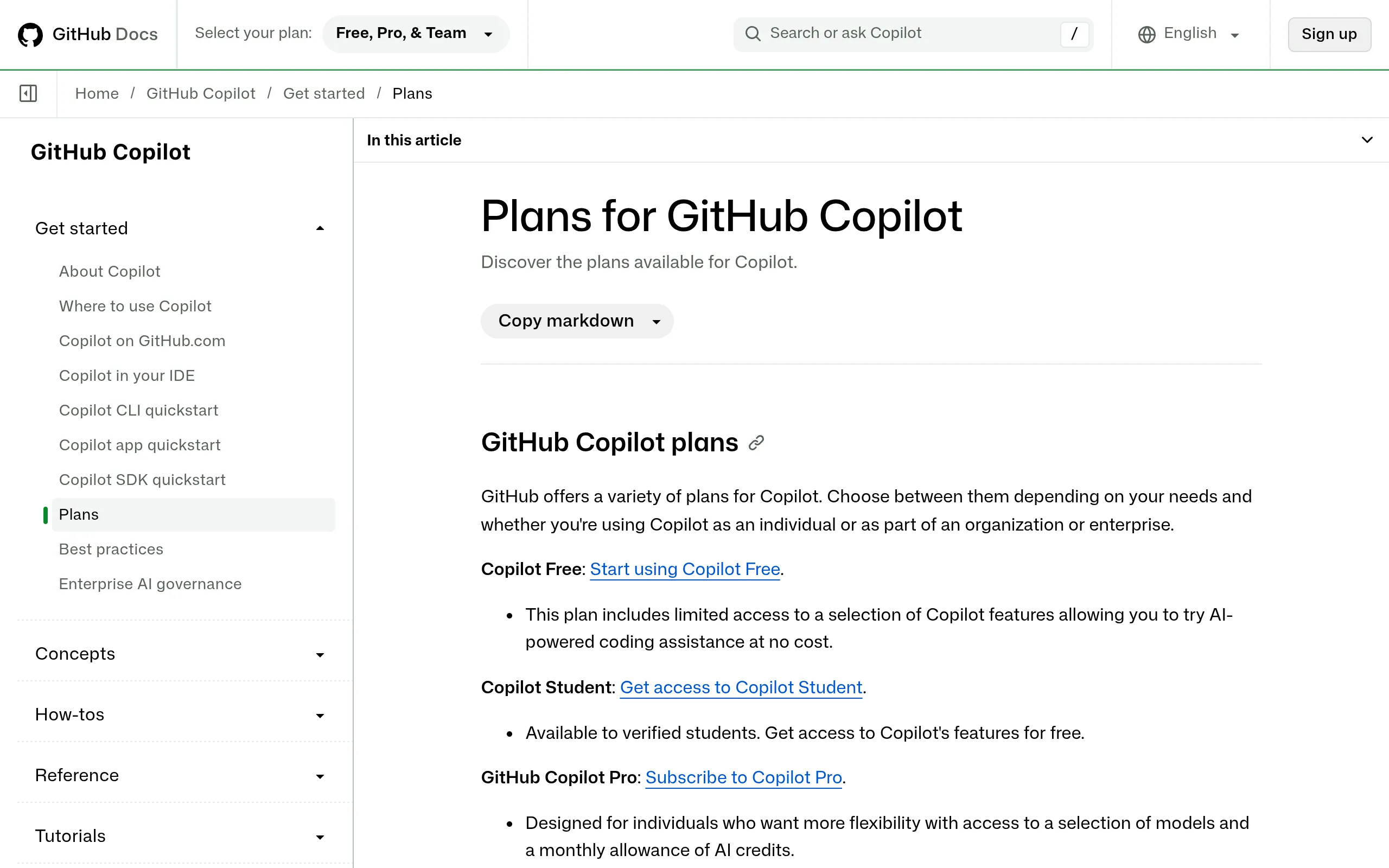
Two key lines, official wording:
- "This plan includes limited access to a selection of Copilot features allowing you to try AI-powered coding assistance at no cost."
- The "Start using Copilot Free" link on that page is the official entry point.
One gotcha worth knowing: GitHub has a page at https://github.com/github-copilot/free_signup that currently redirects to the $10/month Copilot Pro checkout. If you land on a payment page, don't pay — that's not where Free lives. The real activation path is step 3 below: sign in from inside your editor.
Step 3: Install, sign in, start coding
The docs' "Where to use GitHub Copilot" page (screenshotted 2026-10-23) shows every surface:
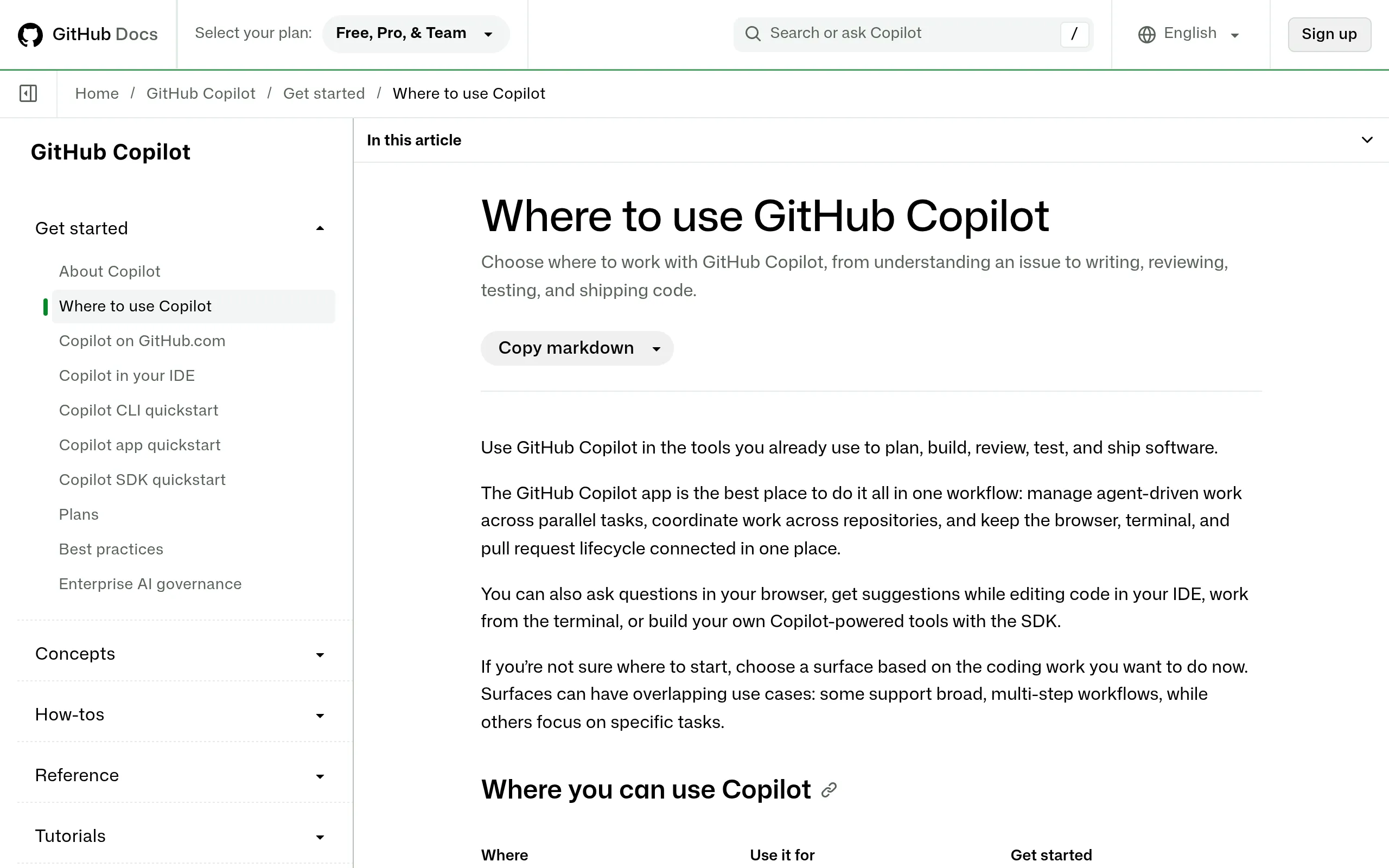
Activation takes three steps, all online:
- Install the extension: in VS Code, search "GitHub Copilot" (publisher: GitHub) and install it, plus "GitHub Copilot Chat."
- Sign in: click the Copilot icon → "Sign in to Use GitHub Copilot for Free" (Microsoft's official wording) → authorize with your personal GitHub account in the browser.
- Confirm: the Copilot icon appears in the status bar. Check your plan and usage at https://github.com/settings/copilot.
Other supported surfaces (per the docs): JetBrains / Visual Studio / Neovim / Xcode / Eclipse plugins, Copilot CLI in the terminal (the docs state "All plans include Copilot CLI and the Copilot app," so Free includes it), github.com in the browser, and GitHub Mobile.
Field notes: what 2,000 + 50 actually gets you
Real-world feel, synthesized from recent hands-on reports:
- 2,000 completions is plenty for side projects, learning, and coding exercises — but with full auto-complete on, a full day of frontend work can burn through a big chunk in two or three days. A practical trick from a Chinese field report (updated 2026-10-06): disable completions for Markdown, logs, and config files and keep it on for real code — that saves roughly a third of your quota.
- ~50 chat/agent requests is the hard ceiling. Don't waste it on "write me a login page." Bring context and ask once, well: paste the existing
auth.tsand ask for the exact diff to add a JWT refresh token. The highest-value use is actually reading code and hunting bugs — ask it to explain a call chain or diagnose an error. That costs far less than generating hundreds of lines from scratch. - Use agent mode sparingly: each prompt counts as one request, so treat agent mode as an occasional taste on Free. Completions + precise questions are your daily driver.
Free vs paid: the one-table comparison
From the official docs and plans page (verified 2026-10-23):
| Free ($0) | Pro ($10/mo) | Pro+ ($39/mo) | |
|---|---|---|---|
| Code completions | 2,000/month | Unlimited | Unlimited |
| Chat/agent | Limited (~50 requests/month) | 1,500 AI credits/month | 7,000 AI credits/month |
| Model choice | Auto only (entry-level models) | Your choice | All models + priority access |
| Chat skills in IDEs | ❌ Not available | ✅ | ✅ |
| CLI / app | ✅ Included | ✅ | ✅ |
| Code review / cloud agent | Limited | ✅ | ✅ |
Notes: since June 1, 2026, paid tiers bill in AI Credits (1 credit = $0.01). Pro includes 1,500 credits (1,000 base + 500 flex); Pro+ includes 7,000 (3,900 + 3,100). Quotas reset on the 1st of each month at 00:00 UTC and do not roll over.
Costs, limits, and gotchas — cheat sheet
| Item | Status |
|---|---|
| Cost | $0, no card required; don't pay if you land on a Pro checkout page by accident |
| Best for | Learning to code, side projects, reading open-source code, occasional scripting — not daily heavy development |
| Data privacy | ⚠️ On individual plans, GitHub may use your prompts and code snippets to train models by default — you can opt out at https://github.com/settings/copilot/features (per the official plans FAQ; opting out doesn't affect features) |
| Org accounts | If you get Copilot through a company's Business/Enterprise seat, you can't use Free (per the docs) |
| Students | Verified students get Copilot Student (unlimited completions) — a better deal than Free |
| Quota reset | 1st of the month, 00:00 UTC; unused quota doesn't carry over; run out and you wait or upgrade |
| Policy risk | Stable since its December 2024 launch — no mass bans or shutdowns — but quota rules move with policy (the June 2026 billing switch being the big one); re-check the official plans page before you build around it |
The real gotcha is expectations: Free is GitHub's funnel. Fifty chat requests are enough to feel what agent mode is like, but they won't last a week of serious work. The sensible play: use completions freely, spend chat requests carefully, and only consider the $10/month Pro (which also has a one-time 30-day trial — cancel before it ends and you pay nothing) when you genuinely outgrow the free tier.
Sources
Official (all opened and verified on 2026-10-23):
- https://github.com/features/copilot/plans (official plans & pricing: Free = 2,000 completions + entry-level models; Pro/Pro+/Max prices and AI credit allowances)
- https://docs.github.com/en/copilot/concepts/billing/individual-plans (docs: 2,000 completions/month cap on Free, auto model selection only, all plans include CLI and app, no IDE chat skills on Free)
- https://docs.github.com/en/copilot/concepts/billing/copilot-requests (docs, legacy billing: ~50 premium requests/month on Free, no rollover, counters reset on the 1st at 00:00 UTC; AI Credits billing for paid tiers since 2026-06-01)
- https://docs.github.com/en/copilot/setting-up-github-copilot/setting-up-github-copilot-for-yourself (setup docs: "Sign in to Use GitHub Copilot for Free" in VS Code)
- https://learn.microsoft.com/en-us/training/modules/github-copilot-management-and-customizations/2-explore-github-copilot-plans-associated-management-customization-features (Microsoft training: no credit card needed for Free)
- GitHub official blog announcement of Copilot Free, 2024-12-18 (CEO Thomas Dohmke; reported e.g. at https://www.neowin.net/news/github-copilot-is-now-available-for-free-in-vs-code/)
Hands-on reports and pricing audits (October 2026):
- https://www.qicaiyun.top/4667.html (Chinese field report, updated 2026-10-06: how to spend the 2,000 completions + 50 chats optimally — the main source for the usage tips)
- https://dev.to/stimlau/github-copilot-vs-cursor-in-2026-which-ai-coder-earns-its-seat-4mak (dev.to, updated October 2026: Free = 2,000 completions + 50 chat/agent requests, auto model selection only)
- https://appstackinsider.com/insights/github-copilot-pricing-explained/ (October 2026 pricing audit: Free hard caps, no card required, Pro/Pro+ AI credit tiers)
(Podcast note: I also searched Chinese outbound/indie-dev podcasts on Xiaoyuzhou, Apple Podcasts, and Spotify for episodes about the Copilot free tier — none found, so no podcast citation.)