
Sanfengyun Free VPS, Tested: $0 to Start, Renew Manually Every 7 Days
One-line takeaway: A real cloud server with root access (1 vCPU / 1GB RAM / 5Mbps / 20GB disk) for $0 — the catch is you must click "renew" in the console every 7 days. Great for blogs, API testing, and learning Linux; not for production.
Heads-up for non-China readers: Sanfengyun is a Chinese provider and requires Chinese real-name identity verification (typically a mainland China ID card; passport support is unverified). If you don't have one, skip to the global alternatives at the end — Oracle Cloud Always Free and Google Cloud's free tier need no Chinese ID.
Prerequisites
- An email address (for account signup)
- Real-name verification: mandatory before you can activate the free plan (Chinese ID in practice; passport acceptance unverified)
- No bank card or credit card required (confirmed $0 signup, no payment method on file)
- Any computer with internet access (SSH client, or use the built-in web terminal in the console)
Step by step
Step 1: Sign up and complete real-name verification
Register at sanfengyun.com and complete the identity verification. Multiple tested walkthroughs confirm the same flow: "verify your identity, then create the instance" — verification is a hard gate, but it's fully online and no further paperwork is needed afterwards.
Step 2: Activate the free cloud server in the console
Log in to the console (www.sanfengyun.com), pick the free cloud server product, and activate it. The system assigns a public IP and an initial password.
Current free-tier specs, confirmed across multiple October 2026 walkthroughs:
- CPU: 1 vCPU
- RAM: 1 GB
- Disk: 20 GB
- Bandwidth: 5 Mbps
- Metered traffic matches actual usage — no hidden throttling reported
Step 3: Connect and harden the basics
Connect via SSH or the console's web terminal, then do three things first (the same pitfalls show up in every walkthrough):
- Change the initial password to a strong one; close ports you don't need
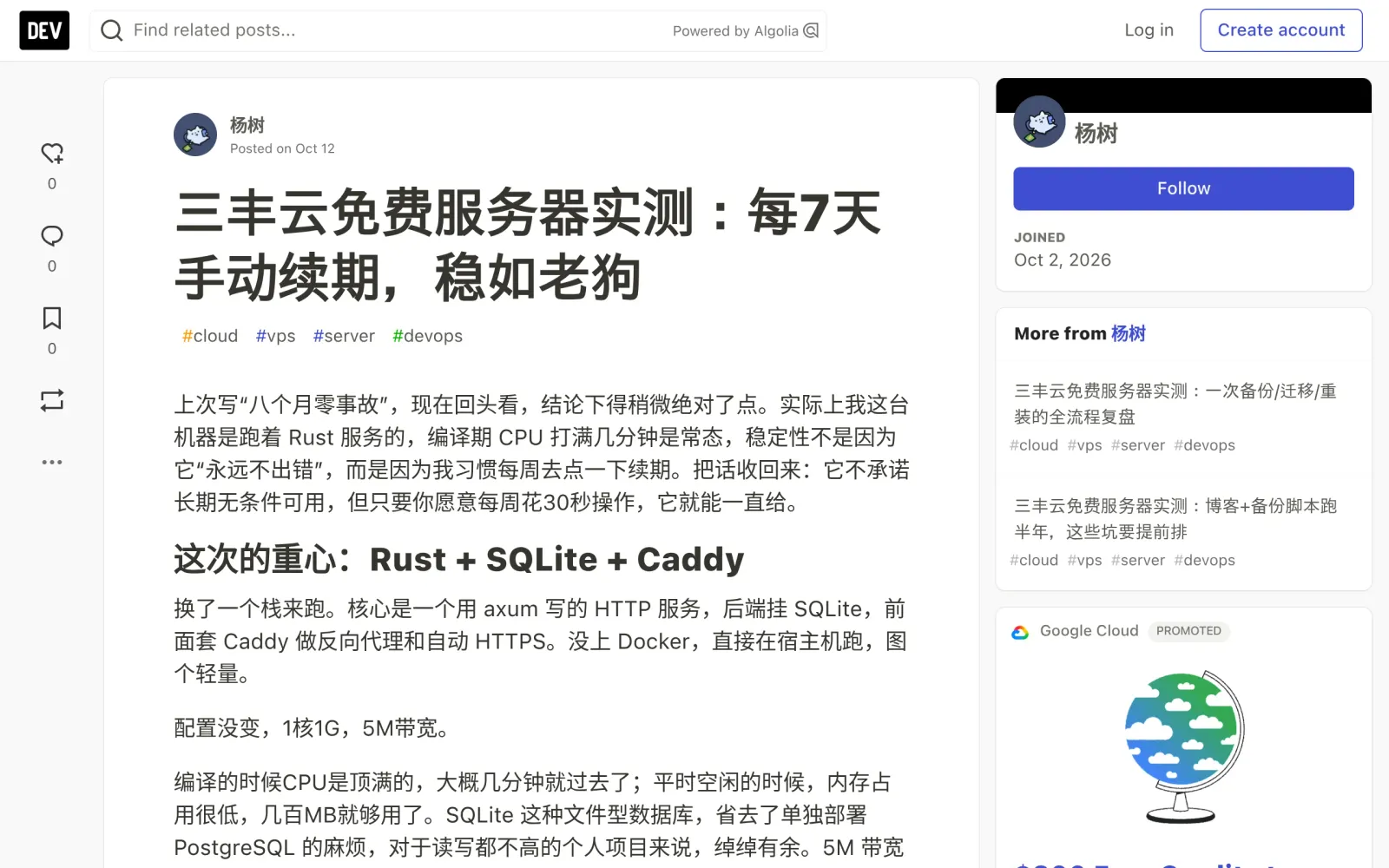
- Enable auto-start for your services: one tester rebooted and found Nginx and PHP-FPM hadn't been set to start on boot — the blog went down. Use systemd or rc.local
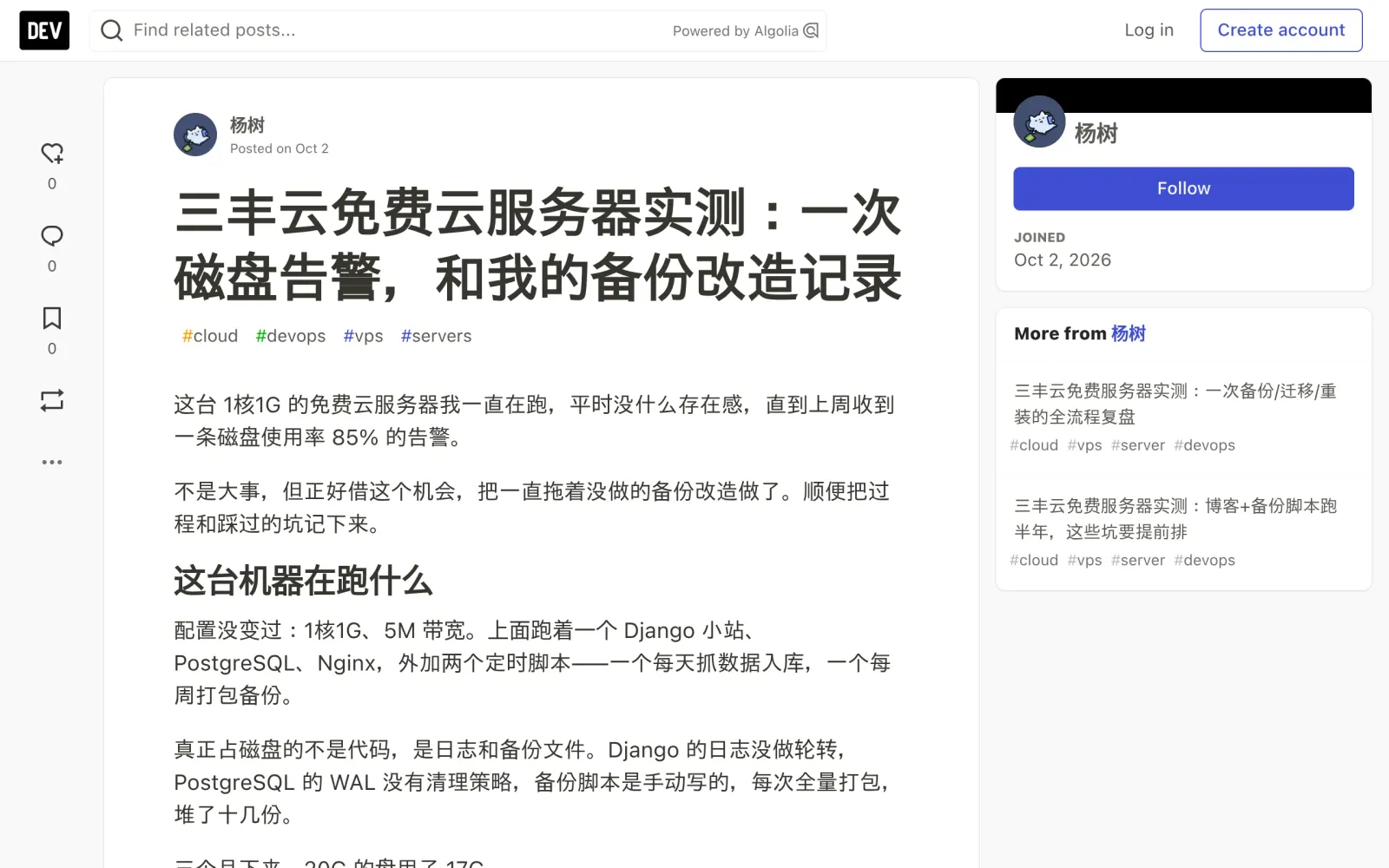
- Set up log rotation and backup cleanup: in one real case an unrotated Django log ate 4.2 GB in three months and 11 full backups piled up. A 20 GB disk fills fast
Step 4: Deploy your lightweight app
What 1 vCPU / 1 GB comfortably runs (all from real deployments): a Typecho/Nginx blog, a small axum + SQLite service, a Django + PostgreSQL side project, cron scripts, small Telegram/Discord bots.
What doesn't belong here: video transcoding, large databases, high-traffic web apps, crypto mining, mass scraping, or proxy services (against the terms — accounts get banned).
Step 5: Manually renew every 7 days (the key step)
This is the whole deal: the free server must be manually renewed every 7 days. Log in, find your instance, click renew — about 30 seconds. The expiry refreshes immediately, and the IP stays the same, data is kept, services keep running — not even your SSH session drops.
One long-term tester renewed 30+ times with zero failures. His routine:
- Set a phone calendar reminder (his goes off Monday morning) — don't rely on memory
- Renewing a few hours late won't delete the instance instantly (there's a grace buffer) — but don't gamble; miss it for good and the instance gets reclaimed
- No dark patterns: no "log in X days in a row" or "post in the forum to earn credits" — just a manual click
Caveats, cost, and pitfalls
- Cost: $0. No card on file, no "free trial converts to paid" trap
- Not promised forever: the rule is "renew every 7 days" — keep renewing and it keeps working. Treat it as a lab and a spare box, not production
- Back up anything important elsewhere: free-tier durability is limited; export code and databases to local storage or object storage regularly
- China-node websites: hosting a public website on a mainland-China node requires ICP filing with the MIIT (a general regulatory requirement, not Sanfengyun-specific; Sanfengyun's exact node list and filing support are unverified)
- Track record check: this round of research found no public reports of mass instance reclamation, surprise billing, or shutdowns. Multiple October 2026 walkthroughs report stable renewals and support tickets answered within ~2 hours. Caveat: the three core walkthroughs are all by the same author (dev.to @yangshu114514), uniformly positive in tone — possibly promotional; key facts were cross-checked for consistency across them
- Unverified items: current free shared-hosting plan specs; the exact renew-button location in the console (read-only screenshots didn't cover it); whether real-name verification accepts passports; the current node list
Global alternatives (no Chinese ID needed)
- Oracle Cloud Always Free: 2 vCPU / 12 GB RAM ARM instance + 200 GB storage — the most generous free VPS, but capacity is hard to get (see our 2026-10-20 Oracle A1 walkthrough)
- Google Cloud free tier: e2-micro instance free monthly; watch the egress-traffic billing
Sources
- Sanfengyun free server test: manual renewal every 7 days (dev.to, published 2026-10-12): https://dev.to/yangshu114514/san-feng-yun-mian-fei-fu-wu-qi-shi-ce-mei-7tian-shou-dong-xu-qi-wen-ru-lao-gou-4nn8
- Sanfengyun free server test: half a year of blog + backup scripts, pitfalls (dev.to, published 2026-10-16): https://dev.to/yangshu114514/san-feng-yun-mian-fei-fu-wu-qi-shi-ce-bo-ke-bei-fen-jiao-ben-pao-ban-nian-zhe-xie-keng-yao-ti-qian-pai-1c15
- Sanfengyun free cloud server test: a disk alert and backup overhaul (dev.to, published ~2026-10-02): https://dev.to/yangshu114514/san-feng-yun-mian-fei-yun-fu-wu-qi-shi-ce-ci-ci-pan-gao-jing-he-wo-de-bei-fen-gai-zao-ji-lu-52ep
- Sanfengyun official site: https://www.sanfengyun.com/ (screenshot timed out on 2026-10-24, page not archived)