
Pollinations in November 2026: I Tested the No-Signup AI API — Images and Product Copy Still Work Free, but the Rules Changed
One-line takeaway: Roundups from September–October 2026 all say Pollinations now returns 401 without a key. On November 2, 2026 I ran 6 requests with no key at all — image and text generation both worked. The free tier has genuinely changed, though, so here is exactly what is still free and what is not.
Last verified: 2026-11-02
What you need
- A browser; plus a terminal with
curlif you want to batch-generate (built into Mac / Linux, available on Windows via Git Bash / WSL). - No account, no phone number, no credit card. None of the test requests in this article carried any key.
- One honest caveat: my tests ran from an overseas network. Some Chinese-language sources say direct access from mainland China needs a VPN setup — I did not verify mainland direct access.
- Mindset check: this is a "works today, not guaranteed tomorrow" free route. Do not bet a real business on it.
Test summary: 6 requests, 5 successes, 1 failure
| # | Request | Result | Time |
|---|---|---|---|
| 1 | Legacy image endpoint image.pollinations.ai/prompt/..., no key |
Success, 768×768 JPEG, ~52KB | 7.5s |
| 2 | Legacy text endpoint text.pollinations.ai/..., no key |
Success, returned Hello! |
1.0s |
| 3 | New unified endpoint gen.pollinations.ai/image/...?model=flux, no key |
Success, 768×768 JPEG, ~143KB, metadata confirms model flux |
1.1s |
| 4 | Legacy image endpoint with parameters (z-image-turbo, seed, size, nologo) | Success, 768×768 JPEG, ~39KB | 7.4s |
| 5 | Text endpoint writing a 20-word English product description | Success, 136 bytes of usable copy | 7.7s |
| 6 | Old tutorial's audio GET pattern ?model=openai-audio&voice=nova |
Failed, 404 | 0.9s |
Total cost: $0. Total time: about 10 minutes, including 16+ second gaps between requests.
Step 1: Generate an image straight from a URL in your browser
Pollinations became famous for one trick: the URL itself is the API. Put your prompt in the address bar and you get an image back.
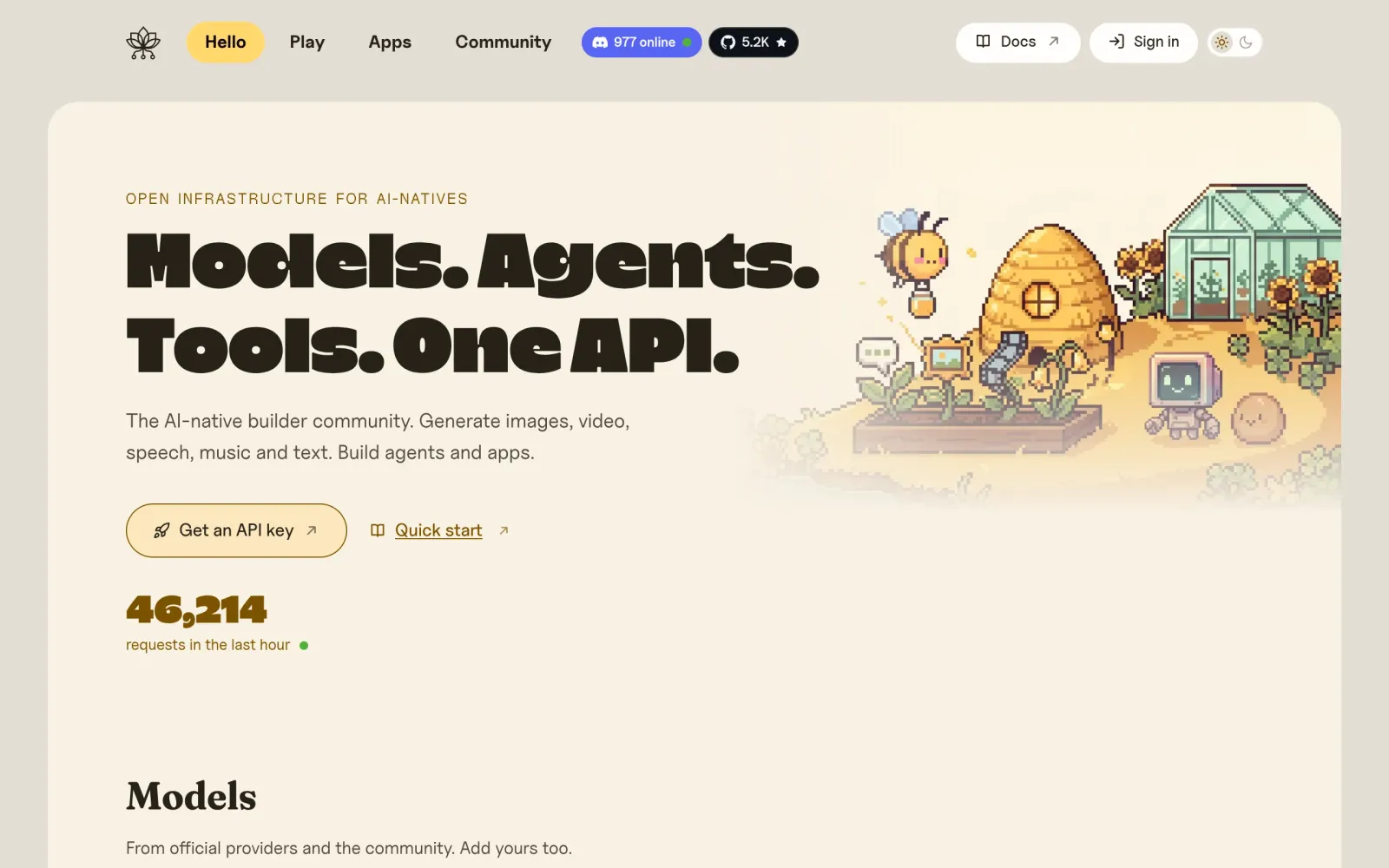
First, the homepage so you know what you are dealing with:
Now open this link in your browser (spaces become %20):
https://image.pollinations.ai/prompt/a%20cat%20coding%20in%20a%20small%20shop
After a few seconds the image appears — this is the exact output of test request #1:
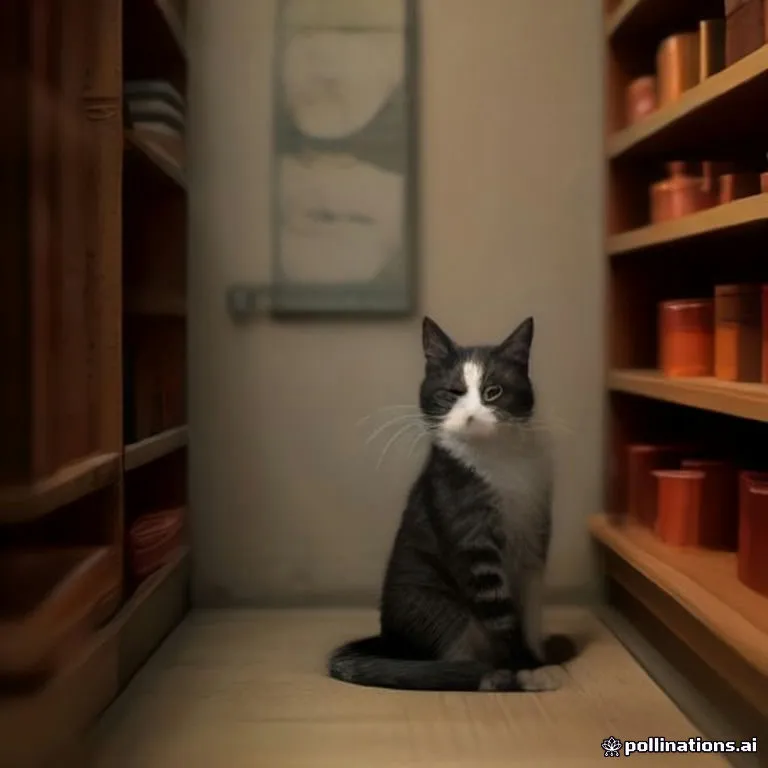
Why this matters: no signup button, no form. You can right-click save the image, or embed the URL directly in a page or social post.
Step 2: Product photos with parameters — size, seed, no logo
A single fun image is not enough for a small store. You want repeatable, consistent shots. URL parameters give you that:
https://image.pollinations.ai/prompt/minimal%20product%20photo%20of%20a%20white%20ceramic%20mug%20on%20wooden%20table?model=z-image-turbo&width=768&height=768&seed=7&nologo=true
What each parameter does:
model=z-image-turbo: picks the image model (worked fine in this test);width/height: output size, here 768×768;seed=7: fixes the random seed, so the same prompt + seed gives a more consistent look across a batch of product shots;nologo=true: drops the watermark.
The result (test request #4, unedited):

Quality verdict: fine for social posts and store atmosphere shots; not good enough for brand hero images or print — details do not survive close inspection. Do not expect it to replace photography.
Step 3: The new unified endpoint gen.pollinations.ai also worked without a key
In 2026 Pollinations consolidated its API under gen.pollinations.ai, and several roundups concluded from the docs that a key is now mandatory and keyless requests return 401. My same-day test says otherwise:
https://gen.pollinations.ai/image/a%20cat%20in%20space?model=flux
No key, 200 OK in 1.1 seconds, and the image metadata confirms model flux and seed 42:
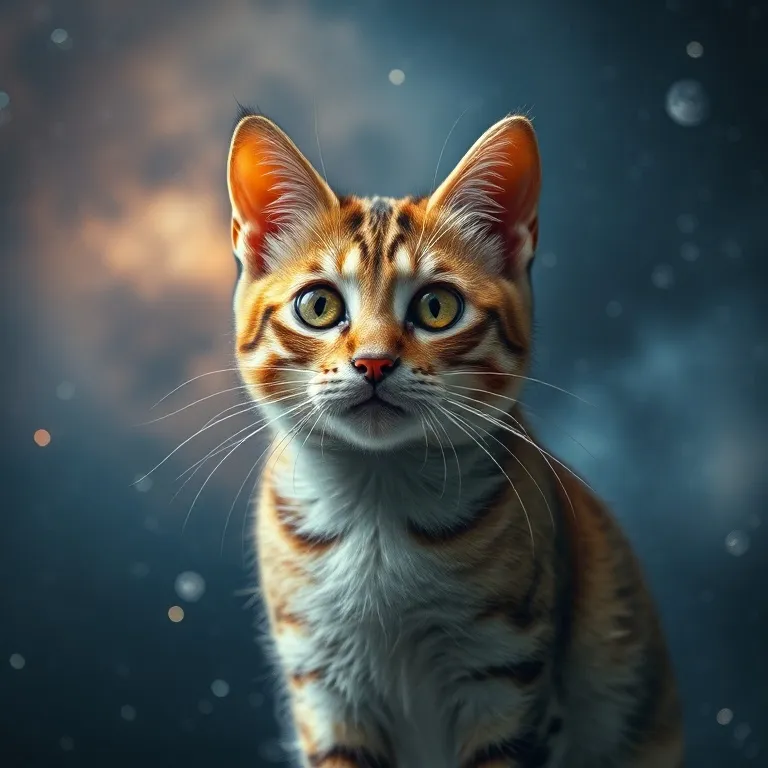
The honest conclusion: as of November 2, 2026, anonymous flux image generation on the new endpoint still works. The "key required" claims reflect the official docs and some time windows — not the full picture on the day I tested. But precisely because docs and reality disagree, this route can tighten at any time. See the pitfalls at the end.
Step 4: English product copy from the text endpoint
Short English descriptions are a constant chore for cross-border listings. The text endpoint handles them with no key:
https://text.pollinations.ai/Write%20a%2020-word%20English%20product%20description%20for%20a%20handmade%20white%20ceramic%20coffee%20mug.
Open it in a browser and the copy renders as plain text (the screenshot below looks empty because the text is short — the content is in the top-left corner):

Full output (136 bytes, 7.7 seconds):
Savor each sip in this hand-crafted white ceramic mug, boasting smooth finish, sturdy handle, and timeless, earthy charm for mornings.
Usable as a first draft for an Etsy or standalone-store listing with two words changed. For longer or bulk copy, use the batch script in Step 5 — do not expect several hundred words to come back reliably in one shot.
Step 5: Batch-generate images for a store, with polite spacing
The anonymous tier is rate-limited. Third-party sources put it around 1 request per 15 seconds. In my tests I waited 16+ seconds between requests and everything succeeded; I did not test rapid-fire calls, so do not hammer it.
A script you can run as-is (swap in your own products, 20-second gaps):
#!/bin/bash
# 20-second gap between requests to respect the anonymous rate limit
prompts=(
  "minimal product photo of a white ceramic mug on wooden table"
  "minimal product photo of a linen tote bag on white background"
  "minimal product photo of a scented candle in glass jar"
)
i=1
for p in "${prompts[@]}"; do
  enc=$(python3 -c "import urllib.parse,sys;print(urllib.parse.quote(sys.argv[1]))" "$p")
  curl -s "https://image.pollinations.ai/prompt/${enc}?model=z-image-turbo&width=768&height=768&seed=${i}&nologo=true" -o "product_${i}.jpg"
  echo "saved product_${i}.jpg"
  i=$((i+1))
  sleep 20
done
Three images in about 90 seconds, $0 total. Review every output by eye before publishing: AI images occasionally add an extra finger or a stray line.
Step 6: What the keyed side looks like (observed, not registered)
The paywall lives at enter.pollinations.ai. I opened the page but did not create an account — the page itself is still very informative:
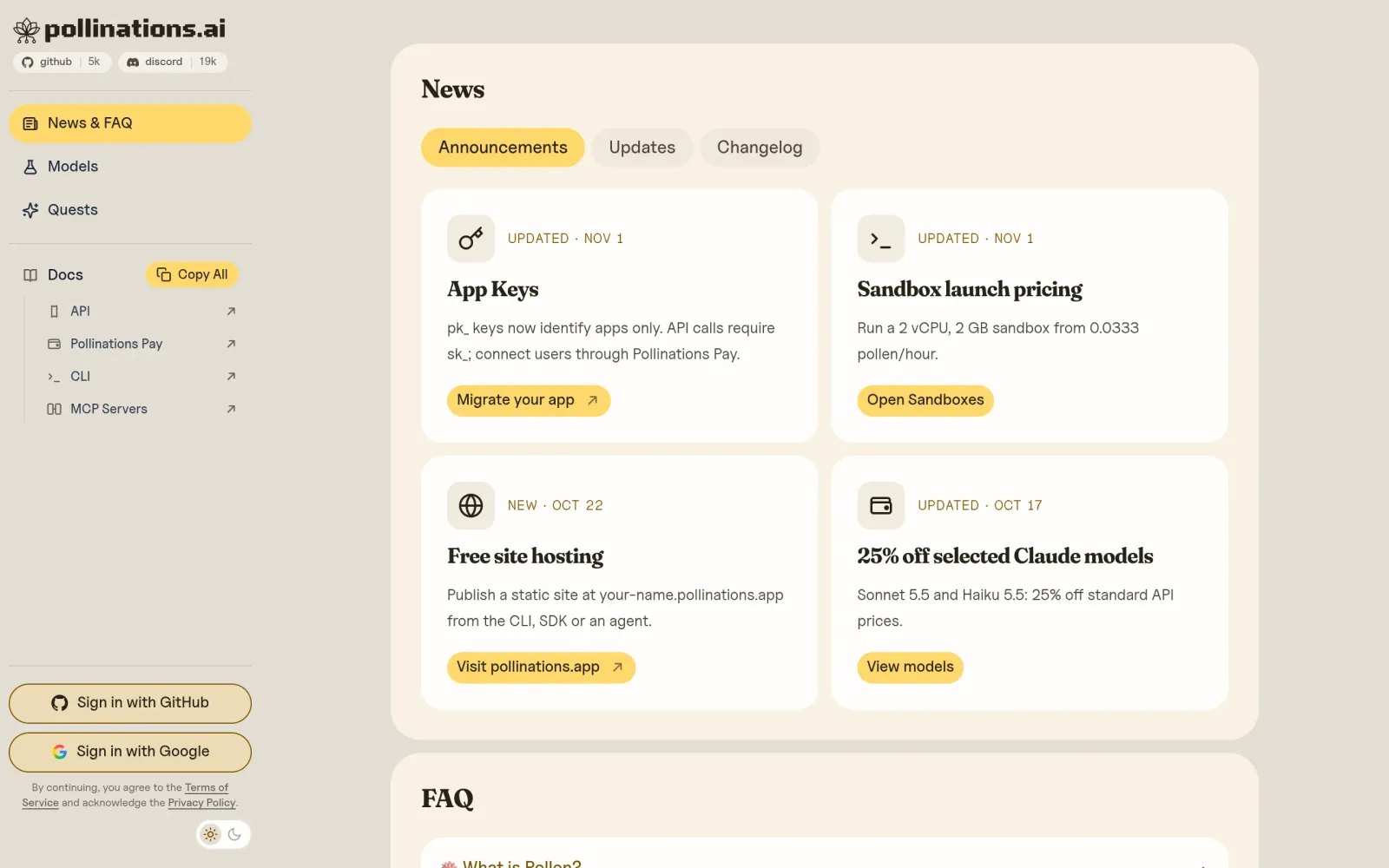
A notice updated November 1, 2026 states it plainly: pk_ keys now identify apps only; API calls require sk_; to bill your own users, use Pollinations Pay. Sign-in is via GitHub or Google.
Third-party sources describe a free registered tier (Spore) at roughly 1.5 Pollen per week, with 1 Pollen ≈ $1 of compute. I did not verify the registration flow or that free allowance — I created no account, so treat those numbers as second-hand. If you need stable quota or premium models (Claude, GPT image, etc.), check the live official pricing page before budgeting anything.
Cost, time, and free-tier boundaries at a glance
| Tier | Cost | Status in this test |
|---|---|---|
| Anonymous (no key) image + text | $0 | 5/5 succeeded on 2026-11-02 |
| Anonymous audio (old GET pattern) | $0 | 404 — dead |
| Registered free tier (Spore, ~1.5 Pollen/week per third-party sources) | $0 | Registration flow not verified |
| Paid Pollen (~$1 = 1 Pollen per third-party sources) | Pay as you go | Not verified |
Total test cost: $0. Total test time: ~10 minutes.
Verdict: who this is for, and who should skip it
- Good for: solo cross-border sellers, new standalone-store owners, social media managers — anyone who needs product concept art, social visuals, and short English copy drafts at zero cost to get moving.
- Not for: anyone wiring generation into a production pipeline, anyone needing brand-grade hero visuals, anyone needing hundreds of images on a schedule. The anonymous tier has no SLA, and the key policy changed as recently as November 1.
- One-line verdict: treat it as a free draft machine, not a free production line. Before scaling, register a free key and check your live allowance — or switch to a service with a published free quota (for example, Cloudflare Workers AI's daily free allowance, see sources).
Pitfalls and warnings
- The old audio GET pattern is dead.
text.pollinations.ai/...?model=openai-audio&voice=novareturned 404 on test day. Audio now goes through an OpenAI-compatible POST endpoint (not verified in this article — check the official docs first). - "401 without a key" contradicts the live test. September–October 2026 roundups claim keyless requests fail, but 5 of my 6 keyless requests succeeded on November 2. Rules are shifting — run your own
curlbefore trusting any roundup, including this one, a month from now. - The key policy tightened on November 1.
pk_keys can no longer call the API directly; API calls needsk_. Copying a 2025 tutorial's key usage will break. - The rate limit is real — do not brute-force it. Third-party sources say ~1 request per 15 seconds anonymous; my 16+ second spacing worked throughout. Always
sleepin scripts; getting your IP throttled helps nobody. - No uptime promise. Do not depend on the free tier on launch day or during a sale.
- Check the official terms before commercial use. Image rights, commercial licensing, and content policy are governed by the live official terms, which this article did not independently verify.
- Mainland China direct access not verified. My tests ran from an overseas network; some sources say mainland access needs a VPN setup. Confirm the links open from your own network first.
Sources
- Official site: https://pollinations.ai (homepage and product shape, verified 2026-11-02)
- Official console and keys page: https://enter.pollinations.ai (App Keys policy updated 2026-11-01, verified 2026-11-02)
- Official unified API endpoint: https://gen.pollinations.ai (anonymous calls tested, verified 2026-11-02)
- Free image API roundup, October 10, 2026 data (includes the "key required" claim): https://blog.laozhang.ai/en/posts/free-ai-image-generation-api
- Free AI image API roundup for 2026 (includes the no-key 401 claim): https://apiframe.ai/blog/free-ai-image-generation-api-2026
- Free TTS + AI image API roundup, September 2026 data (anonymous rate limits, Cloudflare Workers AI daily allowance comparison): https://waynetalk.com/free-tts-image-api/
- Pollinations free-tier summary (anonymous ~1 req/15s, Spore ~1.5 Pollen/week, third-party compilation): https://aicredits.dev/submissions/113-pollinations-ai-free-api-no-signup-required
- Platform overview (official three-domain architecture: pollinations.ai / gen.pollinations.ai / enter.pollinations.ai): https://www.anygen.io/showcase/pollinations-ai/index.html
- All steps, timings, and outputs in the main text are the author's own live tests on 2026-11-02 (curl, no key), see the test summary table.